

Of all the features and capabilities modern workplace software offers, it is very possible that the spreadsheet tool offers the most… with relatively few people realizing what they have access to within it. There are many very smart inclusions that can make life much easier for those who know what they’re doing.
For example, if your data is formatted correctly, it is easy enough to identify which day of the week a given date falls on.
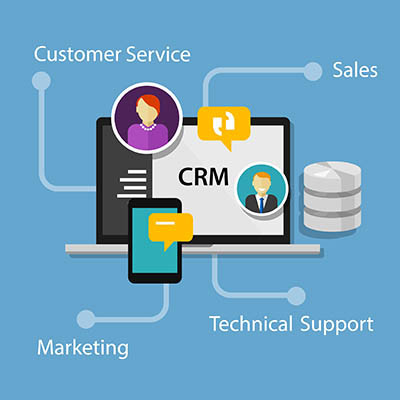
Is your business still relying on a patchwork system of spreadsheets, sticky notes, and emails to manage all of its customer relationships? This type of manual work is not cheaper or more efficient; it only accumulates organizational debt that will eventually come due. Poor customer relationship management results in hundreds of hours of lost productivity throughout the year, directly translating into lost sales and profits for your business.
There are a lot of different ways to manage your time for IT, the most common one being 70 percent of your time on maintenance and 30 percent on innovation and development. If you want your business to grow, you need to invert those numbers and do the exact opposite. There’s one simple way you can change up your approach, and it’s not nearly as complicated as you might think.
Did you know that, in physics, regardless of how much time, sweat, and energy you put into pushing a boulder, if it doesn’t move, the “work done” is seen as zero? The same is true in business… at the end of the day, your investment in your organization and its people is only worthwhile if you see results.
So, you need to ask yourself: how much work are your team members actually getting done? Are they moving the boulder, or are they just trying a lot but not actually making any progress? Let’s examine what often leads to this kind of stagnant struggle and how you can fix it.
Take a quick walk through your business. When you look at the screens on the walls, what’s actually on them? If it’s a generic weather widget, a “Happy Monday!” slide that’s been up for three weeks, or a “No Signal” box, you aren’t looking at a technology investment.
You’re looking at a $10,000 screensaver.
There are two types of digital transformation. There’s the kind that streamlines a business into a powerhouse, and there’s the kind that turns into a ghost ship; perfectly automated, technically efficient, and completely devoid of life. Right now, we are witnessing a massive shift in the way people do things. While your competitors are busy bragging about replacing their support staff with agentic AI, what they are often doing is building a wall between themselves and their customers.
The cut, copy, and paste commands are some of the most frequently used keyboard shortcuts in the modern office, but do you actually understand how they work? They make use of the clipboard, but not many people know what the clipboard is or how it functions. Today, we want to demystify the clipboard and break down how you can make better use of it on your Windows device.
Now that AI has entered the mainstream, more businesses are implementing these tools into their daily operations. Tasks like drafting emails, brainstorming for a new project, or debugging code have all been made easier. Here’s the secret to making the most out of AI: you get out what you put in. What do we mean by this? Let’s find out.
We’ve seen firsthand how the shift to remote work has revolutionized business operations. However, one area still causes friction for many business owners: the virtual meeting. A poorly executed remote meeting isn't just a time-waster; it can drain productivity and disengage your team, damaging your company culture. Today, we outline a few tips that show that with the right strategy and tools, your remote meetings can be even more effective and engaging than their in-person counterparts.
One of the most common criticisms of generative AI tools is that they often “hallucinate,” or make up information, making them somewhat unreliable for certain high-stakes tasks. To help you combat hallucinations, we recommend you try out the following tips in your own use of generative AI. You might find that you get better, more reliable outputs as a result.
Business leaders and decision makers have plenty to deal with… and that’s before factoring in all the problems and obstacles that pop up over the course of their normal operations, particularly when it comes to the technology their businesses rely on.
Naturally, a smart business owner would want their technology to be as reliable as possible, available without requiring conscious effort. As it happens, one of the modern options for IT support enables circumstances to be as close to this ideal as possible… but the other predominant option ultimately gives you more to worry about.
You should want your team to be ready and able to accomplish as much as possible. So, when a team member approaches you with a request for a better laptop or a dual-monitor setup and the wish to do more with their time, you should agree. However, there may be that little voice in the back of your head, whispering, “Was that a wise investment?”
It can be hard to balance the need for employee satisfaction with your budgetary restrictions, but it must be done. Let’s go over the considerations you need to make… as well as the pitfalls that must be avoided.
You’ve probably heard the adage, work smarter, not harder. It usually describes the use of technology to bring time-and-money-saving benefits to the table that human workers can’t produce on their own. As good as technology is at boosting productivity and efficiency, it only works if you are able to get your employees engaged.
While the allure of shiny new gadgets and cutting-edge software is undeniable, the real magic happens when these investments directly translate into tangible productivity gains, transforming how we work and propelling businesses forward.
Business owners have a lot of duties and responsibilities, and while you can hire a lot of people to cover some of the more stressful ones, it might feel strange to outsource your company’s technology management. You know IT is important, so that’s why you feel like you have to do it yourself, or at least in-house, but in reality, you’re the last person who should be working with your technology—and we’ll explain why.
Running a business can feel like a constant battle against inefficiency. There are innumerable reasons an organization doesn’t meet productivity standards. Fortunately, however, technology provides powerful tools to identify and eliminate these problems. Here's how you can use technology to find and fix inefficiencies in your business.
A cluttered workspace can lead to a cluttered mind. Whether you're working from home or in an office, keeping your workspace clean and organized can significantly boost your productivity, reduce stress, and even spark creativity. It's not just about aesthetics; it's about creating an environment where you can thrive.
Here are five tips to help you maintain a pristine and productive workspace:
The grind of daily business operations can feel relentless. From overflowing inboxes to endless task lists and scattered information, it's easy to get bogged down in the minutiae. That’s why it's essential to know—and utilize—the right technology to transform tedious tasks into strategically streamlined workflows, providing you and your team with more time and clarity. This month, we’ll take a look at some of the technology you can use to take a little stress off your grind.
As a business owner, you wear many hats. You're the CEO, the head of sales, the marketing guru, and often, the de facto IT department. It's understandable that with so much to do, dealing with a sluggish computer or a temperamental software program gets pushed to the bottom of the to-do list. A laissez-faire attitude towards your technology can have serious consequences, however. Today, we’ll go through why being lazy with your IT causes more harm than good.